
Universal Prompt Injector icon

Universal Prompt Injector

Open sidebar with a hotkey and inject saved prompts into AI chat
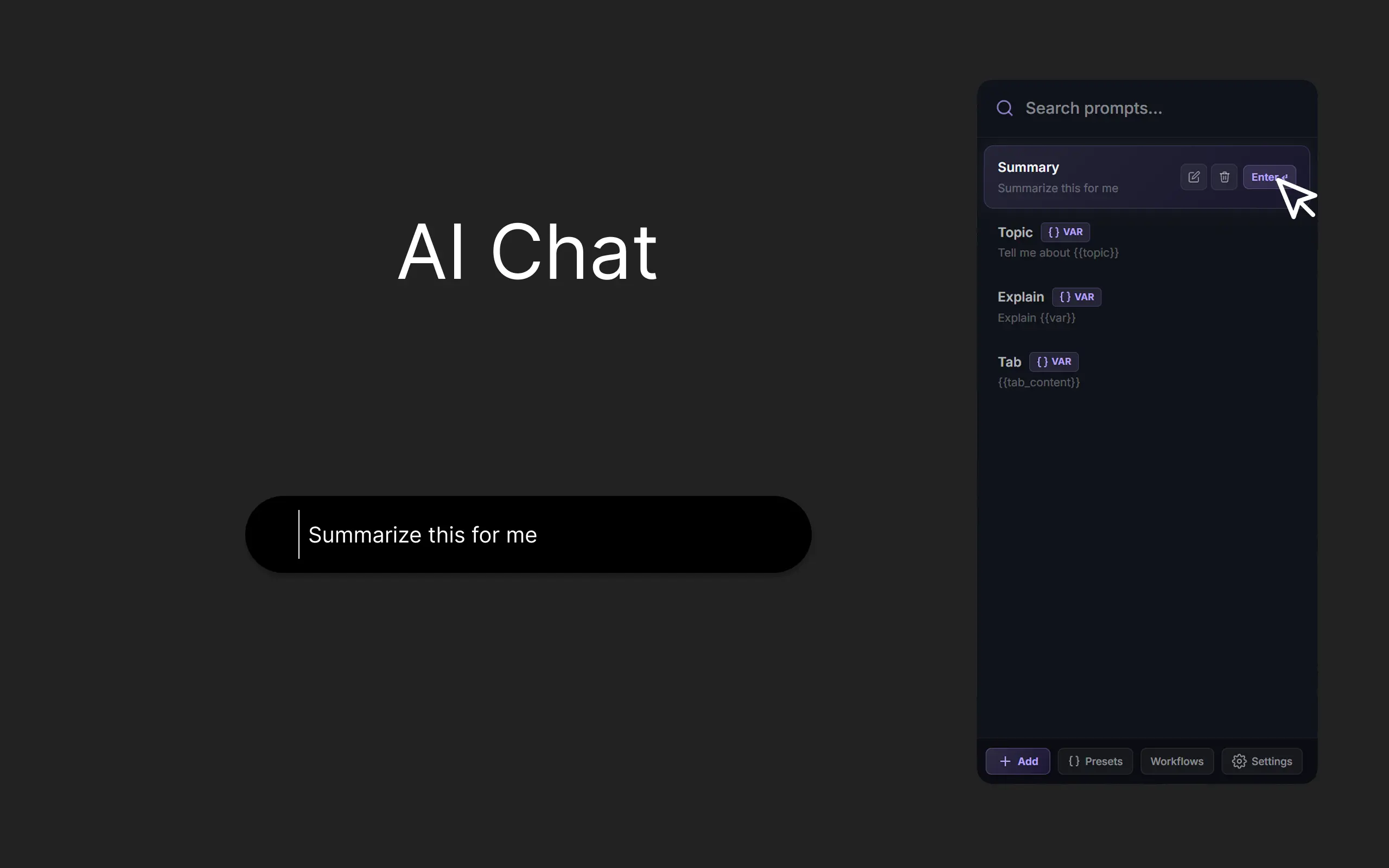
A sidebar interface displaying a list of saved AI prompt templates for quick access

Unified Prompt Library

Organize and manage your personal prompt collection in one centralized place. Seamlessly inject your saved templates into ChatGPT, Claude, Gemini, and more with a single click, eliminating the need for repetitive typing or tab switching.
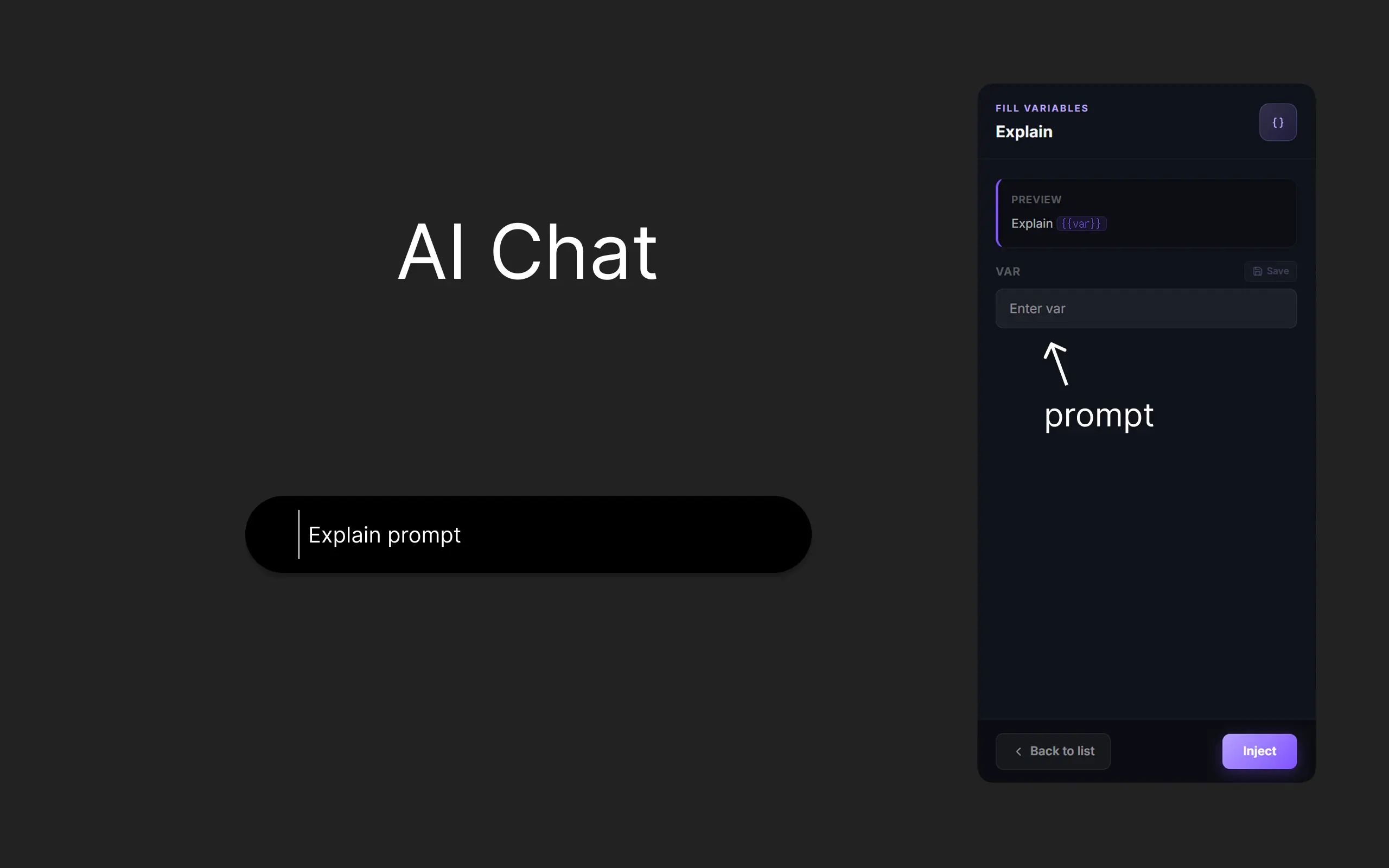
The prompt editor showing how to use curly brace placeholders for dynamic input customization

Dynamic Variables

Transform static prompts into flexible templates using {{variables}}. Instantly customize your messages with real-time context before injection, ensuring your AI responses are perfectly tailored and precisely formatted every time.
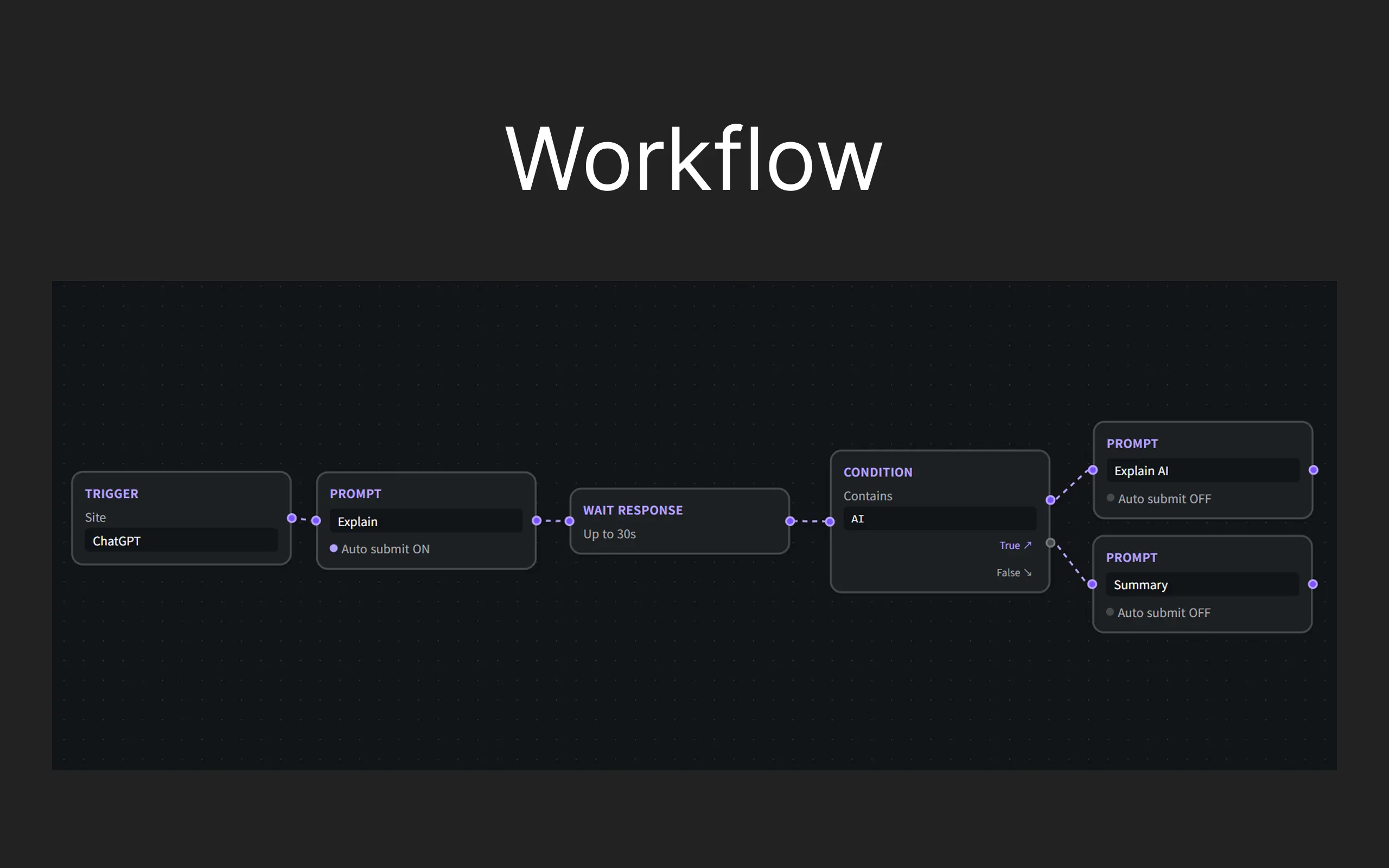
A visual node-based editor designed for building complex, multi-step AI automation workflows

Visual Workflow Automation

Design complex, multi-step AI tasks with an intuitive drag-and-drop builder. Chain multiple prompts together to automate repetitive processes and create powerful, custom AI logic without writing a single line of code.
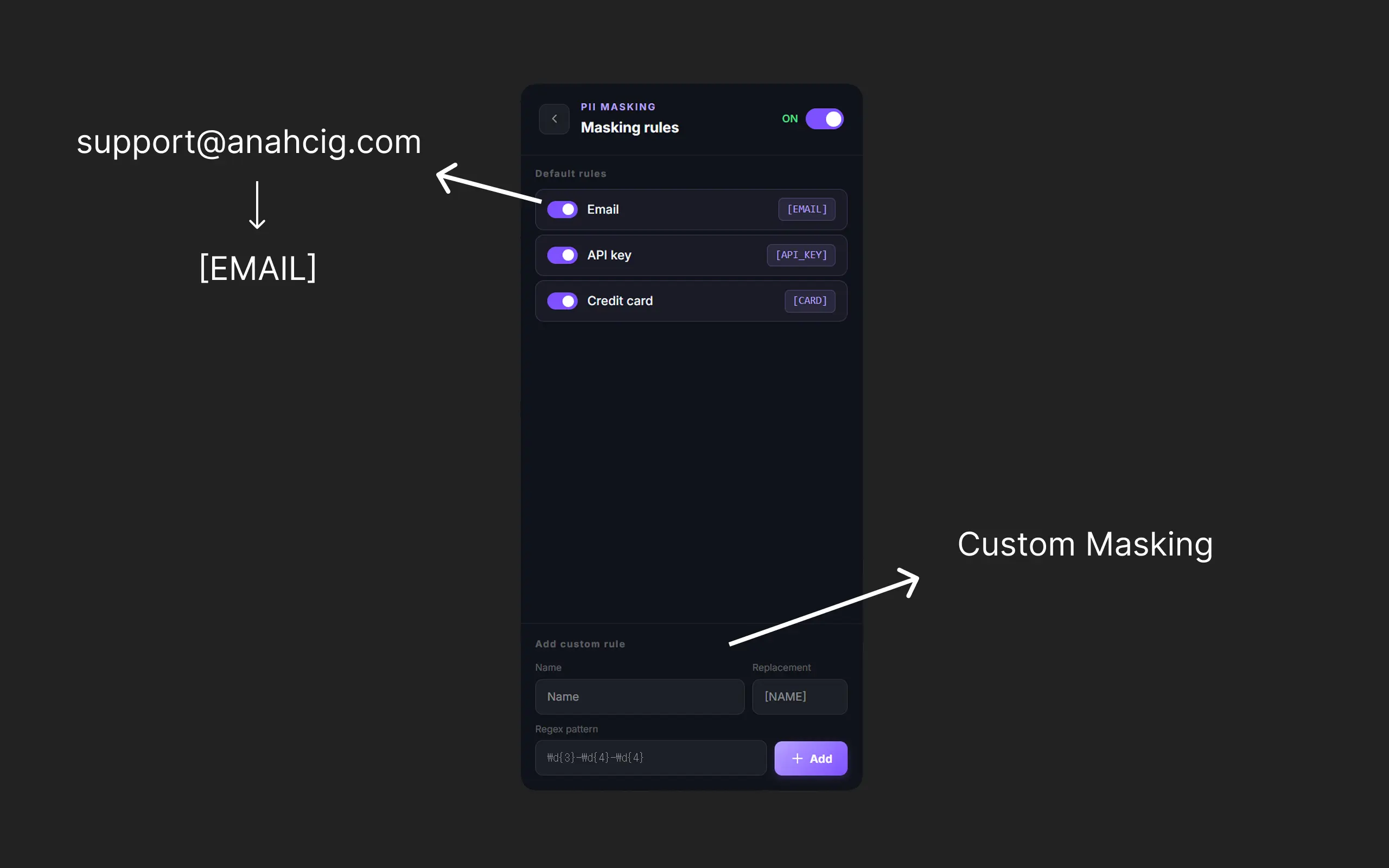
Privacy settings panel showing automatic detection and masking of sensitive personal information

Advanced Privacy & PII Masking

Protect your sensitive data with PII detection. Automatically mask emails, phone numbers, and credentials before they reach AI servers, ensuring your interactions remain secure and compliant with privacy standards.

AI optimization interface showing before and after comparisons of a refined prompt

AI-Powered Prompt Optimization

Take your prompts to the next level with integrated AI optimization. The extension refines your instructions for better clarity and context, ensuring superior results from AI chat interface.

Pricing

Free

Perfect for personal use.

$0 /month
  • check Up to 5 saved prompts
  • check Up to 3 presets
  • check Dynamic variables
  • check 6 AI sites supported
Most Popular

Pro

Unlimited power for serious AI users.

$6 /month
  • check Unlimited saved prompts
  • check Unlimited presets
  • check Auto-submit & PII masking
  • check AI prompt optimization
  • check Visual workflow builder